How to Secure Your Mobile Apps: Essential Tips for Users
The Rising Importance of Mobile App Security
In the fast-evolving world of technology, mobile applications have woven themselves deeply into the fabric of our everyday lives. Whether it’s checking bank statements, ordering dinner, or keeping in touch with family and friends, these versatile tools offer convenience and accessibility like never before. However, this ubiquity also introduces significant vulnerabilities, making securing your mobile apps paramount in today’s digital environment.
The Internet is rife with alarming concerns about mobile app vulnerabilities, calling for users to adopt a more proactive approach to security. For instance, research shows that more than 80% of mobile apps contain serious security weaknesses that cybercriminals can exploit. Furthermore, the lack of updates presents another layer of risk; around 50% of users do not regularly update their applications, leaving outdated defenses and unpatched vulnerabilities exposed. Perhaps most troubling, nearly 60% of smartphone users remain blissfully unaware of potential security threats associated with their favorite apps.
Understanding Permissions and App Settings
One of the critical first steps in securing mobile apps is to develop a clear understanding of app permissions and settings. Many applications request access to personal data, such as contacts, location, and camera, which might not be relevant to the core functionality of the app. Users should take a moment to scrutinize these permissions and ask themselves if the permissions requested are justified. For example, a flashlight app shouldn’t need access to your contacts. Being selective about permissions can significantly enhance your security posture.
Using Strong, Unique Passwords
Passwords often serve as the first line of defense against unauthorized access. Utilizing strong, unique passwords for each application is crucial. Avoid employing easily guessed passwords or reusing the same password across multiple platforms. Instead, consider using a reputable password manager to create lengthy and complex passwords, as well as to keep track of them securely. In the United States, many organizations advocate for multi-factor authentication (MFA) to be enabled, adding an additional layer of security in case a password is compromised.
Regularly Updating Your Apps
Regular updates are not merely a nuisance; they are essential for maintaining security. Developers release updates to address existing vulnerabilities, improve performance, and introduce new features. By aligning your update schedule with app notifications, or enabling automatic updates, you can ensure that your mobile applications remain fortified against the latest threats. Statistics indicate that users who consistently update their apps can significantly minimize their exposure to cyber risks.
In summary, the digital space is fraught with potential pitfalls for the unwary mobile app user. By taking control of app permissions, adopting strong password practices, and committing to regular updates, you can enhance the security of your sensitive data. It’s imperative to take these matters seriously. Ultimately, educating oneself on mobile app security is not just about protecting personal information; it’s about empowering oneself to navigate the digital world safely and confidently.
DISCOVER MORE: Click here to learn how to save on cloud storage
Essential Security Measures for Mobile App Users
As reliance on mobile applications intensifies, understanding how to secure your mobile apps becomes a necessity rather than an option. With millions of applications vying for users’ attention, it’s crucial to be discerning about which ones handle your data responsibly. Navigating this landscape requires awareness of fundamental protective measures to shield your personal information from potential breaches.
Researching App Origins and Developer Reputation
A pivotal step in ensuring mobile app security is to thoroughly research apps before downloading them. This involves scrutinizing the developer’s reputation and the app’s history. Seek out apps from reputable developers who have established credentials and positive user reviews. Pay attention to insights from reliable sources, such as tech blogs and specialized forums, which often highlight security concerns associated with certain applications.
Additionally, users should consider checking the app’s privacy policy. Apps that prioritize user security will provide detailed explanations of how customer data is collected, stored, and shared. A transparent policy is usually indicative of a trustworthy application. Don’t hesitate to remove any app that lacks a clear privacy framework.
Utilizing Device Security Features
Both Android and iOS devices come equipped with a variety of built-in security features designed to protect your information. Enabling these features is a proactive step toward mobile app security. Here are some vital device security tips:
- Screen Locks: Use biometric options such as fingerprint recognition or facial recognition, in addition to a strong passcode.
- Remote Wipe Capabilities: Enable options that allow you to remotely wipe your device in case it’s lost or stolen.
- Location Services: Be judicious about which apps have access to your location; this feature can be turned off for applications that don’t require it for functionality.
Beyond these settings, consider keeping your operating system updated to benefit from the latest security patches released by manufacturers. An outdated operating system can leave vulnerabilities that hackers can exploit.
Mindful Use of Public Wi-Fi
Connecting to public Wi-Fi can seem convenient, but it often poses significant threats to your mobile app security. Cybercriminals frequently exploit unsecured networks to intercept data and gain access to sensitive information. To mitigate risks, adhere to these guidelines when using public Wi-Fi networks:
- Avoid sensitive transactions: Refrain from logging into banking apps or performing financial transactions over public Wi-Fi.
- Use a VPN: Consider employing a Virtual Private Network (VPN) to encrypt your internet connection and secure your data.
- Turn off automatic connections: Disable settings that automatically connect your device to nearby public Wi-Fi networks.
As you embrace these measures, remember that securing your mobile apps is an ongoing commitment rather than a one-time action. Staying informed and practicing vigilance will arm you against potential threats, ultimately enhancing your mobile app experience.
Essential Tips for Enhancing Mobile App Security
In an increasingly digital world, securing your mobile applications has become more critical than ever. With the rise of mobile usage, the potential for cyber threats has surged, necessitating proactive measures from users. Here are some essential tips to fortify your mobile app security:
1. Regularly Update Your Apps
Keeping your apps updated is a crucial step in ensuring security. Developers frequently release updates to patch vulnerabilities. By enabling automatic updates, you can safeguard your device against newly discovered threats without having to remember to do it manually.
2. Use Strong Passwords and Biometrics
Utilize robust passwords that contain a mix of letters, numbers, and special characters. Tools like password managers can assist in generating and storing complex passwords securely. Additionally, enable biometric authentication (like fingerprint or face recognition) for an extra layer of security, as it is considerably more secure than traditional passwords.
3. Download Apps from Trusted Sources
Only download apps from reputable sources, such as the Google Play Store or Apple App Store. Third-party app stores or direct downloads can harbor malicious applications that compromise your device’s security. Always verify the developer’s identity and check app reviews before downloading.
4. Be Wary of Public Wi-Fi
Avoid performing sensitive transactions over public Wi-Fi networks, as they often lack robust security measures. If you must connect, consider using a Virtual Private Network (VPN) to encrypt your internet traffic and protect your data from prying eyes.
5. Adjust App Permissions
Regularly review and adjust the permissions granted to your apps. Many applications ask for more access than necessary. Deny permissions that do not seem relevant to the app’s function to reduce security risks.
6. Employ Security Software
Invest in reputable security software designed for mobile devices. Such solutions can provide real-time protection against malware, phishing, and other cyber threats, enhancing your app’s security significantly.
| Category | Key Features |
|---|---|
| Updates | Regular app updates ensure vulnerabilities are patched promptly. |
| Permissions | Adjusting app permissions minimizes unnecessary data access. |
By implementing these strategies, users can take significant steps toward securing their mobile applications. Mobile app security is not just a technical issue; it requires diligence, awareness, and a proactive attitude from users. As cyber threats evolve, staying informed about best practices and emerging trends in mobile security is essential for protecting your data and privacy.
DISCOVER MORE: Click here to learn how to save on cloud storage costs
Advanced Strategies to Bolster Mobile App Security
As mobile applications become increasingly integrated into our daily lives, employing basic security measures is just the starting point. To truly enhance the security of your mobile apps, delve into more advanced strategies that provide deeper layers of protection. Applying these measures can significantly reduce your risk of cyber threats while effectively mitigating the impact of potential breaches.
Regularly Review App Permissions
Every application you install requires certain permissions to function. However, not all permissions are created equal. Often, apps request access to data that they do not genuinely need for their core functions. Regularly reviewing the permissions granted to each app is essential.
Go into your device’s settings and examine the permissions assigned. For instance, a weather app shouldn’t need access to your contacts or microphone. If anything seems unnecessary, revoke those permissions immediately. This not only helps to safeguard your personal data but also minimizes the amount of information an app can collect.
Utilize Two-Factor Authentication (2FA)
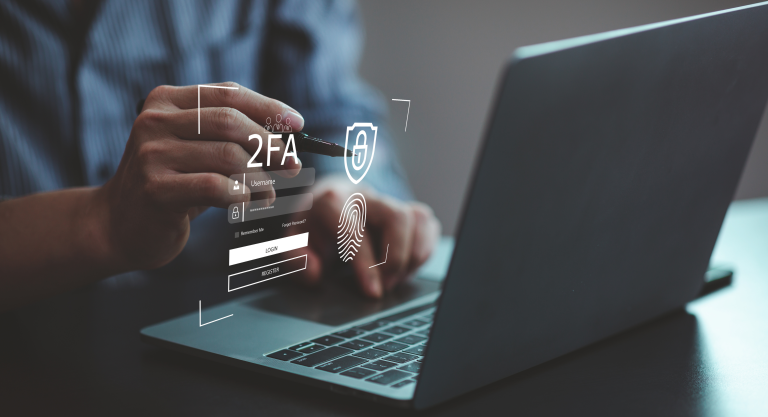
For apps that offer it, enabling Two-Factor Authentication (2FA) is an effective security measure that adds an extra layer of protection when logging in. 2FA requires a second form of identification, such as a code sent to your phone or an authentication app, making unauthorized access significantly more challenging.
Notably, many popular apps—such as social media platforms and banking apps—now offer 2FA options. Activating this feature can drastically diminish your susceptibility to account hacking, particularly if your password comes under scrutiny.
Stay Vigilant Against Phishing Attempts
Mobile app users are increasingly targeted by phishing attacks, which aim to trick individuals into providing sensitive information. These can take the form of malicious URLs embedded in emails or text messages that, when clicked, lead to fraudulent websites resembling legitimate apps or services. To guard against these tactics:
- Double-check URLs: Ensure they are legitimate and not slight variations of well-known sites.
- Do not click unfamiliar links: If you receive an unexpected message with an attachment or link, be wary before taking any action.
- Educate yourself: Stay updated on the latest phishing techniques and scams, so you know what to look for.
Monitor Your Accounts for Unusual Activity
Keeping an eye on your accounts can serve as an early warning system for potential security breaches. Regularly check your app activity, financial transactions, and account settings for any unexpected changes. Set up alerts where possible, so you receive immediate notifications for unusual behavior, such as login attempts from unknown devices.
Smart Uninstallation Practices
Sometimes the best security strategy is not about what you add but what you remove. If you find that you no longer use an app or if it has been compromised, don’t hesitate to uninstall it. Moreover, before removing, ensure that associated data is also wiped from your device. This practice helps prevent hackers from accessing any residual information that could compromise your security.
Moreover, keep in mind that you should frequently evaluate the necessity of apps. Less is often more in the context of mobile applications, as fewer apps lead to less exposure to potential vulnerabilities. Embracing these advanced strategies will reinforce your efforts to secure your mobile apps, maintaining the integrity of your personal data in a constantly evolving digital landscape.
DISCOVER MORE: Click here for valuable tips
Conclusion: Elevating Your Mobile App Security
In an age where mobile apps are pivotal for convenience and connectivity, prioritizing security is not merely an option but an essential responsibility for users. Throughout this article, we have explored fundamental and advanced strategies that can significantly enhance your mobile app security. From regularly reviewing app permissions to implementing Two-Factor Authentication (2FA), each action contributes to building a stronger defense against potential cyber threats.
Moreover, through vigilance against phishing attacks and proactive monitoring of account activities, users can create additional layers of safety in their digital interactions. Remember, it’s not just about having more apps; it’s about having better security practices that protect personal data from unauthorized access. Evaluating the types of permissions granted, seeking out security features like 2FA, and being mindful of suspicious links are all critical steps everyone can take.
As threats continue to evolve, so too must our approach to mobile app security. By staying informed and adaptable, users can maintain control over their personal information. To truly safeguard your digital life, embrace these tips, engage in continuous learning, and encourage others to do the same. Security is a shared endeavor, and together, we can foster a secure mobile ecosystem for all.

Beatriz Johnson is a seasoned tech writer and digital tools expert with a passion for simplifying the complexities of technology and mobile applications. With over a decade of experience in the tech industry, she specializes in topics like productivity apps, software reviews, and emerging digital trends. Through her work, Beatriz empowers readers to make informed technology choices and stay ahead in the ever-changing world of apps and innovation.