How to Safeguard Your Digital Identity with Privacy Settings
The Importance of Digital Security
In an age where almost every aspect of our lives is intertwined with the internet, the necessity to secure your online presence has never been more pronounced. From social networking to online banking, our digital footprint continues to grow, bringing with it an array of vulnerabilities that could jeopardize our privacy and personal information.
Understanding and actively managing your privacy settings is fundamental in this landscape. By doing so, you can greatly reduce the risk of falling victim to data breaches or identity theft. Every click, like, and share carries with it a trace of your personal data that, if left unguarded, can be exploited.
Social Media Platforms and Their Privacy Controls
Social media platforms, such as Facebook, Instagram, and Twitter, have made it possible for users to connect and share experiences instantly. However, many users overlook the critical importance of their privacy settings on these platforms. Tailoring these settings can mean the difference between public exposure and a more controlled digital environment.
- Visibility of Content: Make sure to adjust who can see your posts—friends only, or a custom group—ensuring that only those you trust can view your shared moments.
- Tagging Options: Control who can tag you in photos or posts to minimize unwanted exposure.
Enhancing Web Browser Privacy
Your web browser is another vital tool in protecting your personal data. Many modern browsers incorporate features that enhance your privacy while surfing the web. Most browsers offer an option for private browsing, which doesn’t record your browsing history. Additionally, consider utilizing tracker blockers, which prevent websites from collecting data about you as you navigate the internet.
- Extensions and Add-ons: Explore browser extensions that bolster security, such as ad blockers and script blockers, which can prevent unwanted tracking by third parties.
App Permissions and Their Impact
Apps are an integral part of modern life, providing convenience and connectivity. However, users must frequently grant permissions that can inadvertently expose their sensitive data. Regularly reviewing app permissions allows you to ensure that applications only have access to the information necessary for their function.
- Location Services: For instance, navigation and weather apps require location access; however, there’s no need for a game app to know your whereabouts.
The Hidden Dangers of User Agreements
It’s crucial to recognize that hidden dangers lie within the user agreements of many services. By agreeing to these long, often confusing documents, you could be unknowingly allowing companies to share your data with advertisers and other third parties. Awareness of what you consent to is vital for safeguarding your privacy.
Statistics and the Call to Action
Statistics reveal that over 80% of internet users in the U.S. are concerned about their online privacy. This data highlights the importance of not just acknowledging these concerns but taking proactive steps to protect oneself. Are you prepared to assess your current practices and adapt them to ensure your digital identity is secure?
This article aims to guide you through the labyrinth of privacy settings and strategies to fortify your online presence. By arming yourself with knowledge and being proactive, you can significantly reduce your vulnerability in this ever-connected world.
DIVE DEEPER: Click here to discover tips on optimizing cloud storage and cutting costs
Understanding Privacy Settings: The First Line of Defense
Digital identities are fragile constructs that require vigilant protection. One of the primary ways to safeguard your digital identity lies in the effective management of your privacy settings. The term “privacy settings” refers to options and configurations provided by online services and platforms that dictate who can access your information and how it is shared. However, navigating these settings can often feel overwhelming, especially with constant updates and changes to platforms’ policies.
To begin, consider the sheer amount of data you share daily, often without realizing it. Simple activities like posting a photo or liking a status can expose your preferences, location, and even your connections with others. Therefore, understanding how to configure your privacy settings is not just advisable—it’s essential.
Decoding Privacy Settings for Social Media
Social media giants continue to evolve their features, often prioritizing user engagement over user privacy. Each platform houses unique privacy options that can directly affect your digital footprint. Take Facebook, for instance; its Privacy Checkup tool enables you to review who can view your posts, how you appear in search results, and what information you have shared with third-party apps. Ensuring that your settings are up to date can significantly limit unwanted exposure. For platforms like Instagram and Snapchat, adjusting who can view your stories and your profile details can similarly restrict your visibility.
- Friend Lists: Utilize friend lists to sort your contacts into categories, allowing you to share posts selectively based on your relationship.
- Profile Visibility: Review who can send you friend requests or follow you. This can prevent strangers from accessing your information.
Strengthening Online Communication Tools
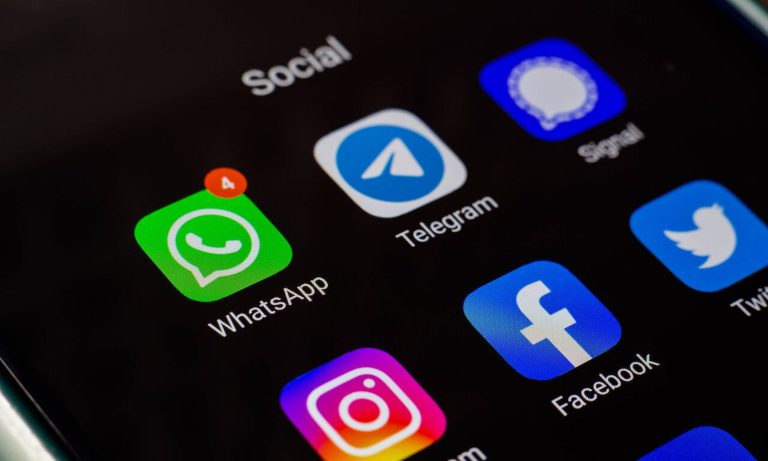
Many users utilize messaging apps for both personal and professional communications, yet fail to tailor their privacy settings accordingly. Apps like WhatsApp and Signal offer end-to-end encryption, which bolsters your security. Nonetheless, you must take the initiative to adjust your settings to ensure that only trusted contacts can see your activity status or profile picture.
- Last Seen and Read Receipts: You can disable features that allow others to know when you were last active or if you read their message, preserving a level of privacy.
How Location Data Can Compromise Your Safety
Geolocation services can create convenience, allowing maps and social media platforms to provide relevant information based on your whereabouts. However, sharing your location continuously raises significant privacy concerns. It’s advisable to turn off location services for apps that do not require it. Some apps, like fitness trackers or navigation tools, genuinely benefit from location data, while others, such as games or shopping apps, can function without this access.
Monitoring how often you share your location with apps is a proactive approach to safeguarding your digital identity. Services like Google Maps allow users to pause location history, providing a practical step toward maintaining your privacy.
By diligently managing your privacy settings across various platforms and tools, you can create a protective barrier around your digital identity. Remember, each choice you make directly influences the level of security you maintain online, making every adjustment critical in this interconnected world.
| Category | Advantages |
|---|---|
| Data Encryption | Encrypts personal information, making it unreadable to unauthorized users, thereby enhancing security. |
| Privacy Settings Management | Allows you to customize who can view your information, providing a tailored user experience while minimizing unwanted exposure. |
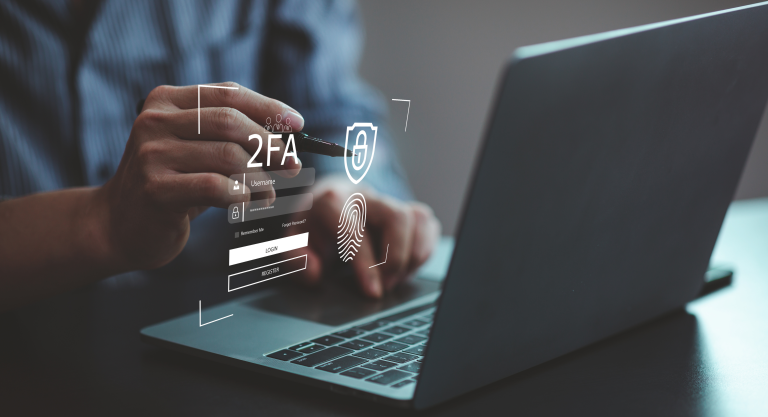
| Two-Factor Authentication (2FA) | Requires additional verification to access accounts, making it much harder for hackers to succeed. |
| Ad Tracking Control | Limits the amount of personal data advertisers receive, serving to protect your digital footprint. |
Privacy settings are vital in safeguarding your digital identity. Implementing measures like data encryption ensures your personal information remains secure and unidentifiable to potential threats. Additionally, privacy settings management allows for a customized experience where users can decide who views what information, presenting a layer of control that enhances user experience and simultaneously protects sensitive data.Furthermore, activating Two-Factor Authentication (2FA) goes a long way in fortifying your accounts. This additional security layer acts as a formidable barrier to unauthorized access. Moreover, controlling ad tracking not only shields your personal data from advertisers but also enables you to maintain your privacy in a world where digital footprints are frequently tracked and analyzed.By actively engaging with these privacy options, you enhance your online presence’s security, shape your digital narrative, and ultimately take charge of your digital identity.
DISCOVER MORE: Click here to learn how to optimize your cloud storage and save costs
Optimizing Privacy Settings Across Other Online Services
While social media and messaging platforms are often the focal points in discussions about digital identity, various online services also require diligent privacy settings management. Many users routinely overlook privacy configurations on applications and services such as e-commerce platforms, streaming services, and cloud storage solutions, leaving their personal information vulnerable.
For instance, when engaging in online shopping on platforms like Amazon or eBay, it’s crucial to scrutinize your account settings. Ensure that you have opted out of features that allow the platform to track your browsing history or target you with personalized ads based on your past purchases. Many platforms provide options to limit their data collection practices, which can include disabling behavioral advertising.
- Account Activity: Regularly check your purchase history and account activity to detect any unusual transactions or alerts.
- Data Collection Preferences: Modify your preferences regarding how openly you share your data with third-party services linked to your account.
Guarding Your Email and Online Accounts
Email accounts are critical components of your digital identity and often serve as gateways to various online services. A single compromised account can lead to a cascade of security breaches across different platforms. Therefore, ensuring robust privacy settings is essential. Most email providers, like Gmail and Outlook, offer advanced security measures, including two-factor authentication (2FA) and account recovery options, which you should enable to bolster your defenses.
Additionally, it’s prudent to regularly update your password and utilize strong, unique passwords for each of your accounts. Password managers can simplify this process, allowing you to generate and store complicated passwords securely. This practice mitigates risks associated with password reuse, where a single leak could jeopardize multiple accounts.
- Security Alerts: Set up notifications that alert you to suspicious login attempts or changes in account settings.
- Privacy Settings for Email Communication: Review the explicit permissions granted to apps connected to your email, potentially preventing unauthorized access.
The Importance of Regularly Reviewing Your Privacy Settings
Updating privacy settings is not a one-time task; it demands ongoing attention. Many platforms automatically revert to default settings when updates occur, potentially exposing your information anew. Therefore, establishing a routine—perhaps every few months—that includes reviewing your privacy settings for all your key online accounts. During each review, take note of any platform updates that may impact your privacy and adjust your settings accordingly.
Consider utilizing tools and browser extensions that enhance your online privacy, such as ad blockers and anti-tracking software. These tools help create a safer browsing experience by significantly reducing the amount of data collected from your online activity.
The interplay between privacy settings and your digital footprint is intricate yet manageable if you approach it with diligence. By actively engaging with and refining your settings across various platforms, you maintain better control over your digital identity and safeguard it against potential vulnerabilities.
DISCOVER MORE: Click here to uncover cost-saving tips
Conclusion
In a digital landscape that is constantly evolving, the need to safeguard your digital identity through effective privacy settings becomes increasingly imperative. From social media to e-commerce platforms and beyond, every online interaction poses potential risks that can compromise your personal information. By proactively managing your privacy settings, you take essential steps to control who accesses your data and how it is used.
As discussed, it is vital to perform regular audits of your privacy configurations across all online accounts, ensuring that you remain aware of any changes made by service providers that could expose your information. Utilizing tools like two-factor authentication and Password Managers enhances security, making it substantially harder for unauthorized individuals to gain access. Moreover, leveraging ad blockers and privacy-focused browser extensions can significantly reduce the data collected from your online activities.
In keeping your digital identity safe, remember that vigilance is crucial. Make it a habit to stay informed about the latest privacy advancements and regularly evaluate your settings. Adopting a proactive approach not only protects you from potential breaches but helps build a more secure digital environment for everyone. As you navigate the myriad of platforms that shape your online presence, let privacy settings be your first line of defense in controlling your digital narrative.

Beatriz Johnson is a seasoned tech writer and digital tools expert with a passion for simplifying the complexities of technology and mobile applications. With over a decade of experience in the tech industry, she specializes in topics like productivity apps, software reviews, and emerging digital trends. Through her work, Beatriz empowers readers to make informed technology choices and stay ahead in the ever-changing world of apps and innovation.