Guide to Customizing Network Settings and Improving Device Connectivity
Unlocking the Potential of Your Network
Are you tired of connectivity issues disrupting your online experience? The journey to a stable and efficient network begins with customizing your network settings. Understanding how to tweak these settings can lead to improved device connectivity and a seamless digital life. Effective network management not only enhances your online activities but also ensures that you make the most of your internet connection, reducing frustrations in today’s fast-paced digital world.
In this guide, we will explore various aspects of network customization, helping you to create an optimized online environment. Here are some key focus areas that will be discussed in detail:
- Router Configuration: Optimizing router settings for better performance.
- IP Addressing: Understanding static vs dynamic IP addresses.
- Wi-Fi Security: Implementing measures to protect your network.
- Quality of Service (QoS): Prioritizing bandwidth for essential devices.
Router Configuration
One of the foremost aspects of improving your network is through router configuration. This involves accessing your router’s settings via its web interface, which is typically done by typing the router’s IP address (usually something like 192.168.1.1) into your web browser. From here, you can adjust various settings, including the Wi-Fi channel, security protocol, and even the bandwidth allocation. For instance, changing the channel from a crowded frequency to a less-populated one can reduce interference and enhance performance, especially in dense urban areas like New York City.
IP Addressing
Understanding the difference between static and dynamic IP addresses is essential for optimizing your network. A static IP address remains constant and is often used for devices that need to be easily reachable, such as a home server or a security camera. In contrast, dynamic IP addresses are assigned by the router from a pool of available addresses and can change over time. For most users, the dynamic addressing system is sufficient as it simplifies network management, but knowing when to switch to a static IP can be a game changer if you host online services or need reliable connectivity.
Wi-Fi Security
Protecting your network from unauthorized access is critical. Implementing strong Wi-Fi security measures such as WPA3 encryption, disabling SSID broadcasting, and using strong, complex passwords are crucial steps to maintain network integrity. Additionally, regularly updating your router’s firmware can shield against potential vulnerabilities—something that is often overlooked by average users but vital for safeguarding your sensitive information from cyber threats.
Quality of Service (QoS)
Quality of Service (QoS) allows you to prioritize bandwidth according to your needs. This means if you’re streaming video on Netflix while someone else is gaming online, your router can be configured to allocate more bandwidth to the streaming service, ensuring a smooth viewing experience. Most modern routers offer QoS settings that enable you to prioritize devices or applications, making it easier to manage multiple users and tasks simultaneously.
With these insights, you can transform your device interactions. Whether you are streaming, gaming, or simply browsing, having the right settings in place can significantly enhance your connectivity experience. A well-rounded understanding of these components enables you to enjoy faster speeds, increased security, and an overall better digital experience.
Take the step towards a more optimized network today by diving deeper into these areas. Discover how simple changes can lead to remarkable improvements in your daily internet usage. The rewards of a customized network are well worth it—start your journey today!
DISCOVER MORE: Click here to optimize your cloud storage
Essential Steps to Optimize Your Network
When it comes to unleashing the full potential of your home or office network, customization is key. Below are some essential steps and considerations that can dramatically improve your device connectivity and overall online experience.
Understanding Your Router Settings
Your router serves as the heart of your network, and understanding its settings is crucial. Accessing your router’s web interface, usually done by typing its IP address into your browser, opens up a plethora of options. Some fundamental aspects to consider include:
- Wi-Fi Channel Selection: Choose a less congested channel to minimize interference, particularly in areas packed with similar networks.
- Security Protocols: Opt for WPA3, the latest security protocol, for better protection against unauthorized access.
- Bandwidth Allocation: Adjust settings that prioritize bandwidth for devices that may need it most, such as gaming consoles or streaming devices.
By diving into these settings, you can significantly enhance your connectivity experience. For example, changing your Wi-Fi channel can lead to an improvement in speed and stability, especially if you’re in a densely populated area. Tailoring your settings to fit your specific usage scenarios can prevent disruptions during critical online tasks.
The Impact of IP Address Configuration
IP addressing can seem technical, but it plays a vital role in your network’s performance. Most routers utilize dynamic IP addresses, which are automatically assigned to devices connected to the network. This system works well for general use but lacks the reliability needed for certain applications.
On the other hand, static IP addresses provide a fixed address for devices. This setup is ideal for devices like printers, security cameras, or servers, which need constant connectivity and easy accessibility. By assigning static IPs to critical devices, you can avoid potential connectivity hiccups that might arise from dynamic address changes.
Strengthening Wi-Fi Security
In a world increasingly dependent on connectivity, protecting your network from unauthorized access is more important than ever. Implementing robust Wi-Fi security measures is a fundamental aspect of network customization. Consider the following:
- Change Default Credentials: Always change the default username and password for your router to something secure.
- Enable Network Encryption: Use WPA3 encryption for enhanced security against hackers and intruders.
- Regular Firmware Updates: Keep your router’s firmware updated to protect against the latest vulnerabilities.
By fortifying your network security, you not only safeguard your devices but also ensure a smoother and more reliable connectivity experience. Cyber threats are a reality, and proactive measures can prevent unauthorized access that can slow down your network or compromise your data.
This initial focus on router settings, IP addressing, and security lays the groundwork for a more robust network. While these steps may seem basic, the improvements they can bring to your daily online tasks and activities are profound. As you continue to explore advanced settings and features, remember that a customized network is a powerful network.
| Advantage | Description |
|---|---|
| Customization | Tailor your network settings to fit specific device requirements, enhancing overall connectivity performance. |
| Enhanced Security | By adjusting firewall settings and VPN configurations, you can create a safer online environment while using public networks. |
| Increased Speed | Optimize bandwidth allocation to ensure your most critical applications and devices have priority access. |
| Device Compatibility | Fine-tune settings to improve performance across a diverse range of devices, maximizing your network’s effectiveness. |
Customizing network settings can significantly enhance your overall device connectivity in an increasingly digital world. This guide aims to elevate your understanding of how simple adjustments can yield substantial benefits. Whether it’s tailoring your custom configurations or implementing stringent security measures, each step you take leads to a more robust and efficient network. The ability to maximize bandwidth and direct resources to critical applications is invaluable. Additionally, adjusting settings to enhance device compatibility ensures seamless connectivity throughout your home or office network. Through informed customization, users can expect not only faster connections but also a safer online experience. By exploring these settings, you equip yourself with the knowledge to create an optimized network environment that meets your unique needs.
DON’T MISS: Click here for expert tips on saving costs in cloud storage
Advanced Techniques for Optimal Network Performance
Having established a foundation with basic network settings, it’s time to delve deeper into advanced techniques that can significantly enhance your connectivity experience. These sophisticated methods enable you to optimize your network for performance, speed, and reliability.
Implementing Quality of Service (QoS)
Quality of Service (QoS) is an essential feature available in many modern routers, allowing you to prioritize traffic for specific applications or devices. By configuring QoS settings, you can ensure that bandwidth is allocated according to your immediate needs. For instance, if a gaming session is underway, QoS can prioritize that traffic to maintain lower latency and a better experience.
This feature can be particularly beneficial in households where multiple users are streaming videos, downloading files, or engaging in online gaming simultaneously. Depending on your router, you can either set up QoS by device (e.g., prioritizing devices like a Smart TV) or by application (e.g., prioritizing gaming services like Xbox Live). This tactic not only improves performance but can also prevent frustrating delays during critical online activities.
Utilizing Network Extenders and Mesh Systems
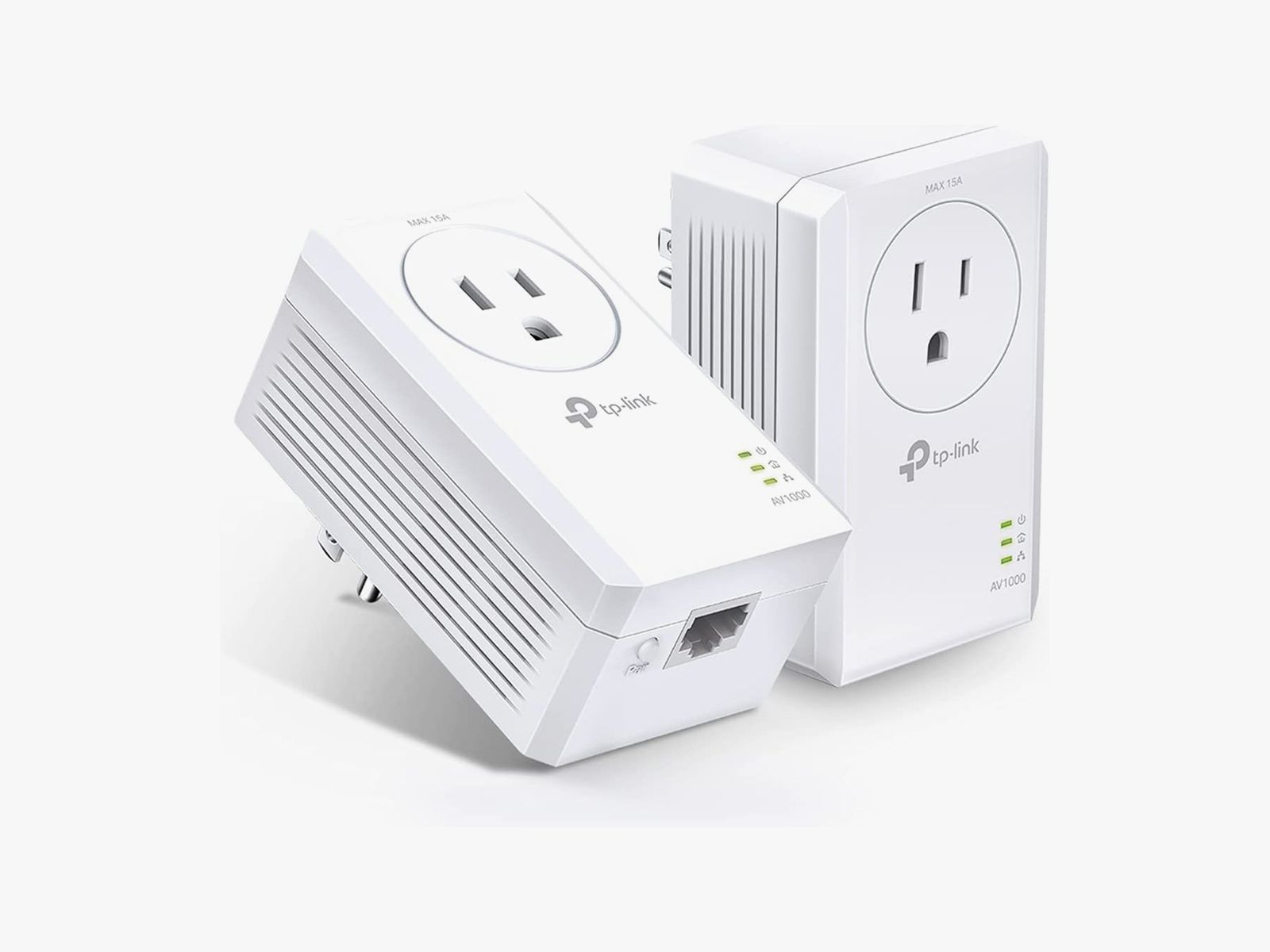
As homes become larger and more devices connect to the internet, Wi-Fi dead zones can detract from the overall connectivity experience. To combat this issue, consider deploying network extenders or investing in a mesh Wi-Fi system. These devices work by extending the Wi-Fi coverage throughout your space, ensuring a stronger signal in every corner of your home.
Network extenders amplify the existing Wi-Fi signal, effectively pushing it further, while mesh systems consist of multiple nodes that communicate with each other to cover larger areas seamlessly. These solutions are particularly advantageous in multi-story homes or those with thick walls that impede signal strength. With consistent coverage, you not only experience fewer dropped connections but also achieve faster speeds throughout the entire property.
Monitoring Network Traffic and Performance
For those keen on data, understanding how your network is performing is critical. Utilizing network monitoring tools can provide insights into traffic patterns, device performance, and potential issues affecting your connectivity. Tools like Wireshark, PRTG Network Monitor, or even your router’s built-in tools can help you visualize bandwidth usage and spot bottlenecks.
Knowing which devices consume excessive bandwidth can offer opportunities for adjustment. For example, if an outdated device is draining network resources, it might be time for an upgrade. Additionally, proactive monitoring can often unveil suspicious activity that may indicate a security breach. Keeping a close eye on your network allows for informed decisions and optimized configurations.
Tweaking DNS Settings for Enhanced Speed
The Domain Name System (DNS) plays a crucial role in how quickly websites load. By default, your internet service provider assigns a DNS server, but these can often be slower than third-party alternatives. Switching to DNS services provided by Google (8.8.8.8 and 8.8.4.4) or Cloudflare (1.1.1.1) can result in faster browsing speeds and improved load times for sites that you frequently visit.
Moreover, using a faster DNS can also improve your overall security against certain online threats, as some services provide additional filtering options to protect against malicious websites. The change is simple: access your router settings, locate the DNS configuration, and make the switch. This small adjustment can unleash a faster, more responsive internet experience, especially during high-traffic periods.
Incorporating these advanced techniques into your network management strategy not only enhances connectivity but also transforms your experience online. As the digital landscape evolves, staying ahead with customization and optimization becomes increasingly paramount.
DIVE DEEPER: Click here to discover how to save on cloud storage costs
Conclusion
In the rapidly advancing world of technology, having a reliable and efficient network is crucial for both personal and professional activities. Through this guide on customizing network settings, we have explored essential strategies that not only improve device connectivity but also elevate your overall online experience. By implementing features like Quality of Service (QoS), you can prioritize activities that matter most, ensuring seamless streaming, gaming, and browsing.
Additionally, the introduction of network extenders and mesh Wi-Fi systems can effectively bridge any gaps in coverage, even in larger homes or spaces with structural barriers. And with the insights gained from network monitoring tools, you can gain a clearer perspective of your bandwidth usage, implement necessary adjustments, and protect against potential security threats. Moreover, tweaking your DNS settings can yield noticeable improvements in loading times, providing a smoother online experience.
Ultimately, customization is key. Regularly reviewing and adjusting your network settings allows you to adapt to changing demands and emerging technologies. As the digital landscape continues to evolve, embracing these techniques will not only enhance your connectivity but also empower you to navigate an increasingly connected world with confidence. Take the first step today towards a robust and optimized network that supports your lifestyle! Whether it’s for work, education, or leisure, investing time in network management pays dividends in productivity and entertainment.

Beatriz Johnson is a seasoned tech writer and digital tools expert with a passion for simplifying the complexities of technology and mobile applications. With over a decade of experience in the tech industry, she specializes in topics like productivity apps, software reviews, and emerging digital trends. Through her work, Beatriz empowers readers to make informed technology choices and stay ahead in the ever-changing world of apps and innovation.