Best practices for keeping your device updated and optimized
Why Device Maintenance is Essential
As we navigate through an era shaped by rapid technological innovation, it’s more important than ever to ensure that our devices—whether they be smartphones, laptops, or tablets—are up-to-date and running efficiently. Failing to regularly maintain our devices can lead to a multitude of problems that compromise not only user experience but also security. With cyber threats continuously evolving, staying ahead of the curve is critical.
One of the most pressing concerns for device users is security vulnerabilities. Without the latest software updates, devices can fall victim to malicious attacks, exposing personal data and financial information. For instance, the 2020 SolarWinds cyberattack highlighted how even large organizations can suffer due to vulnerabilities in outdated systems. Regular updates often contain essential security patches designed to shield devices from newly discovered threats.
In addition to security, users often face performance degradation when their devices are not optimized. Imagine trying to load a website only to encounter endless buffering; this frustration often stems from outdated applications or unnecessary background processes consuming system resources. According to research, a device that is regularly updated can operate significantly faster—sometimes up to 40% faster than its outdated counterpart. Regular maintenance ensures that applications run smoothly and efficiently.
Compatibility issues also pose significant challenges. New software and applications are frequently released, often relying on the latest operating systems and features. If your device is running an older version of the software, you might find that your favorite apps either do not function properly or do not run at all, forcing you to miss out on the latest features and functionalities. For example, many new games that capture stunning graphics demand the latest system capabilities; without updating, avid gamers might miss the opportunity to enjoy their favorite titles fully.
Essential Strategies for Device Maintenance
To combat these issues effectively, adopting a few key strategies is essential. One simple yet powerful method is to enable automatic updates. Many modern devices offer automatic updates for both operating systems and applications, allowing users to receive critical patches without manual intervention. This feature ensures that your device is always equipped with the latest security enhancements and performance boosts.

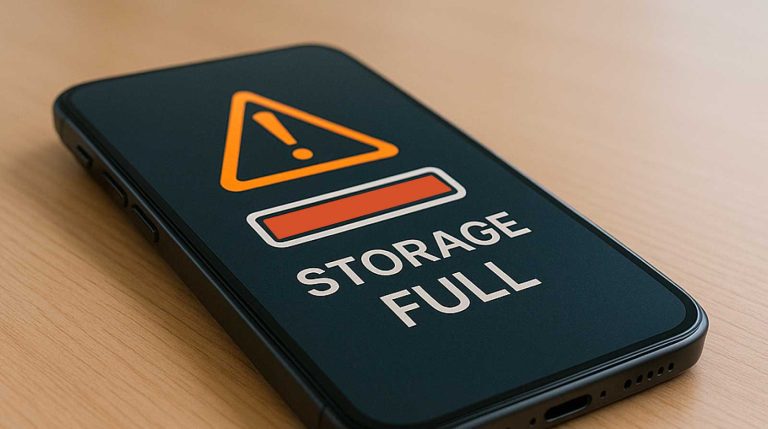
Another vital practice is to regularly clear cache. Over time, temporary files and cached data can accumulate, unnecessarily consuming storage space and slowing down your device. By periodically clearing out this clutter, users often experience quicker loading times and improved overall performance. Most devices offer straightforward processes to perform cache cleaning, making it an easy step for even the most novice users.
Furthermore, take advantage of the built-in optimization tools that most operating systems now offer. These features often include disk cleanup utilities, system diagnostics, and performance reports. For instance, Windows’ built-in Optimize Drives tool defragments your hard drive to improve access times, while macOS provides a storage management feature that helps users monitor and manage their disk usage more efficiently. Utilizing these tools can make the process of maintaining optimal device performance almost effortless.
By embracing these best practices, maintaining your device’s health becomes not just an obligation but a manageable task that enhances your interaction with technology. Staying informed and proactive will ensure your devices remain effective allies in a digital world that shows no signs of slowing down.
DISCOVER MORE: Click here to optimize your cloud storage costs
Proactive Measures for Device Maintenance
To ensure your device remains a reliable companion in this fast-paced digital landscape, implementing proactive maintenance measures is crucial. While automatic updates provide a safety net, users must be aware of additional steps they can take to enhance both security and performance. By following certain best practices, maintaining the health of your device can become a streamlined process rather than a daunting task.
One fundamental method involves conducting regular backups. This practice not only secures your data against potential loss during updates but also allows you to restore your system in case of malfunction. With options like cloud storage or external hard drives, creating backups has never been easier. Many services, including Google Drive and Apple iCloud, offer automatic backup solutions, ensuring your most crucial information remains safe with minimal effort on your part.
Moreover, it’s essential to stay informed about your device’s specific requirements. Different operating systems and hardware come with their own unique sets of rules regarding updates. Familiarizing yourself with recommended guidelines, such as memory allocation and storage management, can lead to optimized performance. As a general rule, aim to keep at least 15-20% of your storage free to ensure your device runs smoothly, reducing the likelihood of slowdowns caused by a lack of available space.
In addition to regular backups, consider adopting a schedule for manual checks for updates, particularly for applications that do not provide automatic options. Regularly visiting the official website of your software can offer insights into the latest features, bug fixes, and enhancements. Keeping track of these updates not only improves functionality but also ensures you are benefiting from the newest security protocols. Here are some essential steps:
- Check for operating system updates: Make this a monthly habit, ensuring you’re running the latest versions.
- Monitor application updates: Regularly review your apps, focusing particularly on those that handle sensitive data.
- Review security software: Make sure your antivirus and firewall settings are up-to-date to fend off threats.
Another critical area to address is battery health. Many users may not realize how battery optimization can extend a device’s lifespan. Features such as Battery Saver mode or Low Power mode can greatly reduce the energy consumption of your device, prolonging its functional years. It’s equally vital to avoid exposure to extreme temperatures and to implement a charging routine that prevents full discharge and overcharging.
Finally, taking the time to regularly uninstall unused applications can free up valuable storage space and boost your device’s overall performance. Applications that you no longer use can still consume resources in the background, leading to unnecessary slowdowns. By being selective about what you keep on your device, you ensure that your system only runs what’s necessary, freeing up processing power for the tasks you use it for.
By following these proactive maintenance practices, you can greatly extend the lifespan of your device while ensuring a seamless user experience. Keeping your technology updated and optimized not only addresses immediate concerns but also fosters a safer and faster digital environment for everyday tasks.
| Advantage | Description |
|---|---|
| Enhanced Security | Regular updates often include security patches that protect your device from vulnerabilities and threats. |
| Improved Performance | Updates can optimize software functionality, helping your device run smoothly, by reducing lags and crashes. |
By following best practices in keeping your device updated and optimized, users benefit from enhanced security and improved performance. Enhanced security is crucial in today’s digital age, where cyber threats are prevalent. Regular updates install the latest patches, minimizing the risk of malware attacks. This proactive approach to cybersecurity not only safeguards personal information but also maintains the integrity of the device’s operating system.Moreover, performance enhancement allows for a seamless user experience. With each update, manufacturers often address bugs and slowdowns, leading to a more responsive interface and quicker loading times. These adjustments can significantly elevate everyday usability, especially for resource-intensive applications like gaming and video editing. Exploring these updates keeps your device not only modern but also highly functional. For those eager to stay ahead of the curve, diving into the specifics of these advantages opens up a world of possibilities in maximizing device efficiency.
DISCOVER MORE: Click here to optimize your cloud storage
Understanding Device Performance and Optimization Techniques
As technology evolves, so do the best practices for keeping your device updated and optimized. Beyond the basics of maintaining software updates and backups, there is a wealth of knowledge regarding performance enhancements that can significantly improve your experience. These optimization techniques serve to refine not only the speed and efficiency of your device but also enhance its security and longevity.
Another often-overlooked aspect of device optimization is regularly clearing cache and temporary files. Over time, applications accumulate cache data that can take up valuable space on your device. By periodically going through your settings to clear out this clutter, you can free up storage, reduce loading times, and minimize potential slowdowns. Most devices have built-in tools or third-party applications that can help streamline this process. For mobile devices, apps like CCleaner or Files by Google can efficiently manage cache and temporary files with minimal user intervention.
Furthermore, upgrading hardware components can also lead to substantial performance gains. For instance, adding more RAM can enhance multitasking capabilities, and switching from a traditional hard disk drive (HDD) to a solid-state drive (SSD) can drastically improve boot times and application loading speeds. If your device allows it, consider these upgrades as a long-term investment that may enhance your overall usage experience.
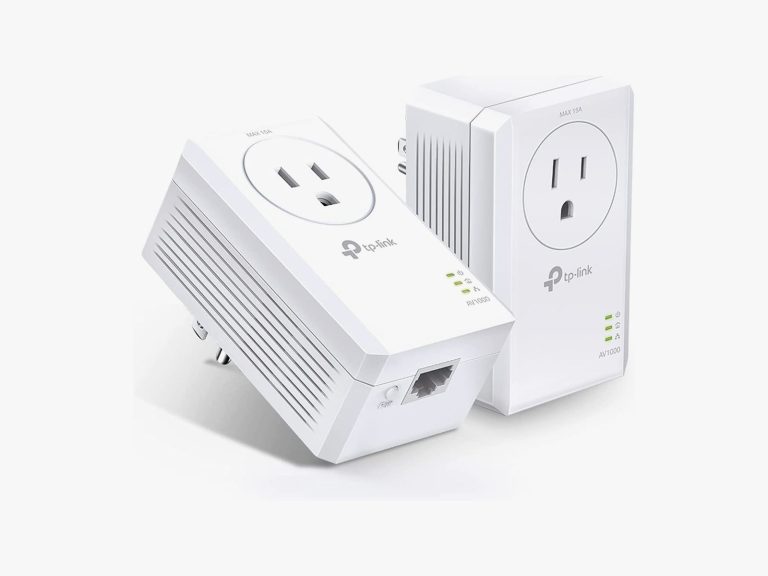
Equally important is the notion of network optimization. A slow or unstable internet connection can often be mistaken for a sluggish device. Regularly checking your Wi-Fi settings, ensuring your router firmware is up to date, and using network extenders can help amplify connection strength. If you’re relying on cellular data, familiarize yourself with the data management settings on your device to avoid unnecessary throttling from your provider. Consider using a speed test application to monitor your internet performance regularly and identify any issues promptly.
Staying organized is also a key factor in maintaining device efficiency. Consider using folders and tags to categorize applications and files, thus minimizing time spent searching for what you need. Utilizing built-in productivity tools can greatly simplify your workflow. Tools like the Apple Notes or Google Keep allow users to create lists and reminders that can keep you focused and alleviates clutter on your home screen.
Additionally, explore system settings related to performance modes and battery management. Many devices offer specific modes such as “Performance” or “Balanced” that can be switched based on current needs. Switching to a performance mode may enhance speed for gaming or resource-heavy tasks, while balanced modes help conserve battery life during routine use. This adaptability ensures that your device operates optimally based on the context in which you’re using it.
Lastly, becoming familiar with third-party maintenance apps can unleash further optimization potential. Applications like Clean Master or AVG TuneUp not only remove residual files but also provide tools to manage startup applications, which can help in speeding up boot times. However, it’s wise to ensure that you are using reputable software to avoid any negative impact on your device’s security. Always research trustworthy reviews or seek guidance from tech publications before downloading any new software.
Incorporating these advanced optimization techniques into your routine can significantly elevate your device’s performance and enhance its longevity. By staying proactive and informed about your device’s capabilities, you’re equipping yourself with the tools necessary for a seamless and efficient digital lifestyle.
DISCOVER MORE: Click here for smart storage tips
Conclusion: Strategies for Sustaining Device Optimization
In conclusion, maintaining the optimal performance of your device is a multifaceted endeavor that incorporates both routine maintenance and proactive strategies. By prioritizing regular software updates, you ensure that your device benefits from the latest security patches and performance enhancements. Similarly, routinely clearing cache and temporary files can prevent unnecessary slowdowns, allowing for a smoother user experience.
Investment in hardware upgrades should not be overlooked, especially for those using their devices for intensive tasks. Increasing your RAM or upgrading to SSD storage can profoundly impact speed and efficiency, ultimately prolonging the device’s life. Additionally, understanding network optimization is critical, as a fast device can feel sluggish without a stable internet connection. Using Wi-Fi extenders and regularly testing your connection can make a significant difference in your overall experience.
Furthermore, incorporating organizational tools such as folders and tags can not only enhance productivity but also make it easier to manage digital clutter. Utilizing device-specific performance modes can also help tailor your usage depending on your current needs, balancing between battery life and processing power. Lastly, exploring trusted third-party maintenance apps can offer an array of optimization options, but diligence in vetting these tools is essential to safeguard security.
By adopting these best practices, you can empower yourself to maintain a device that not only performs efficiently but also remains aligned with the evolving technological landscape. Staying informed and proactive will ultimately lead you to a more seamless and enriching digital experience.

Beatriz Johnson is a seasoned tech writer and digital tools expert with a passion for simplifying the complexities of technology and mobile applications. With over a decade of experience in the tech industry, she specializes in topics like productivity apps, software reviews, and emerging digital trends. Through her work, Beatriz empowers readers to make informed technology choices and stay ahead in the ever-changing world of apps and innovation.